
Junk files
Residual files, cached thumbnails, temporary downloads and empty folders. This is the one category that arrives ticked, because it is the only one where the safe answer is not a judgement call.
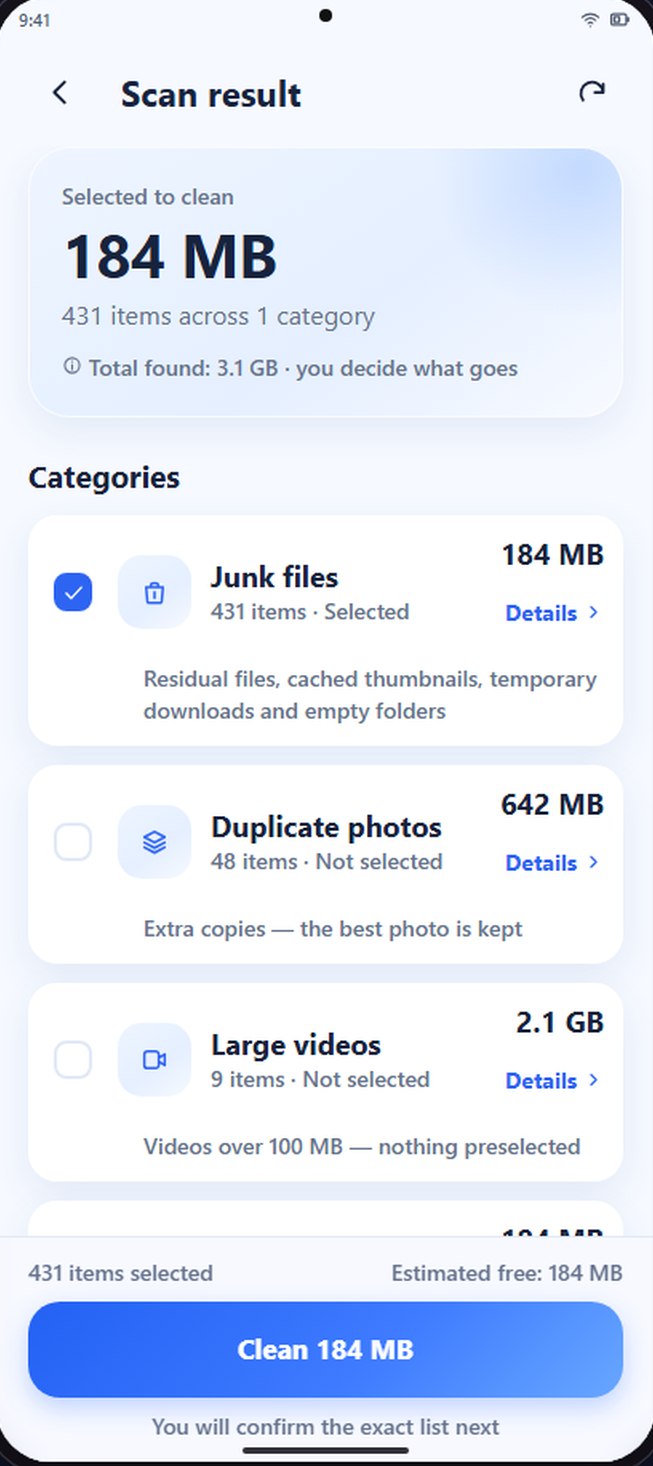
Phone Cleaner finds junk, duplicate photos, large videos and screenshots, then waits for you to decide what goes.
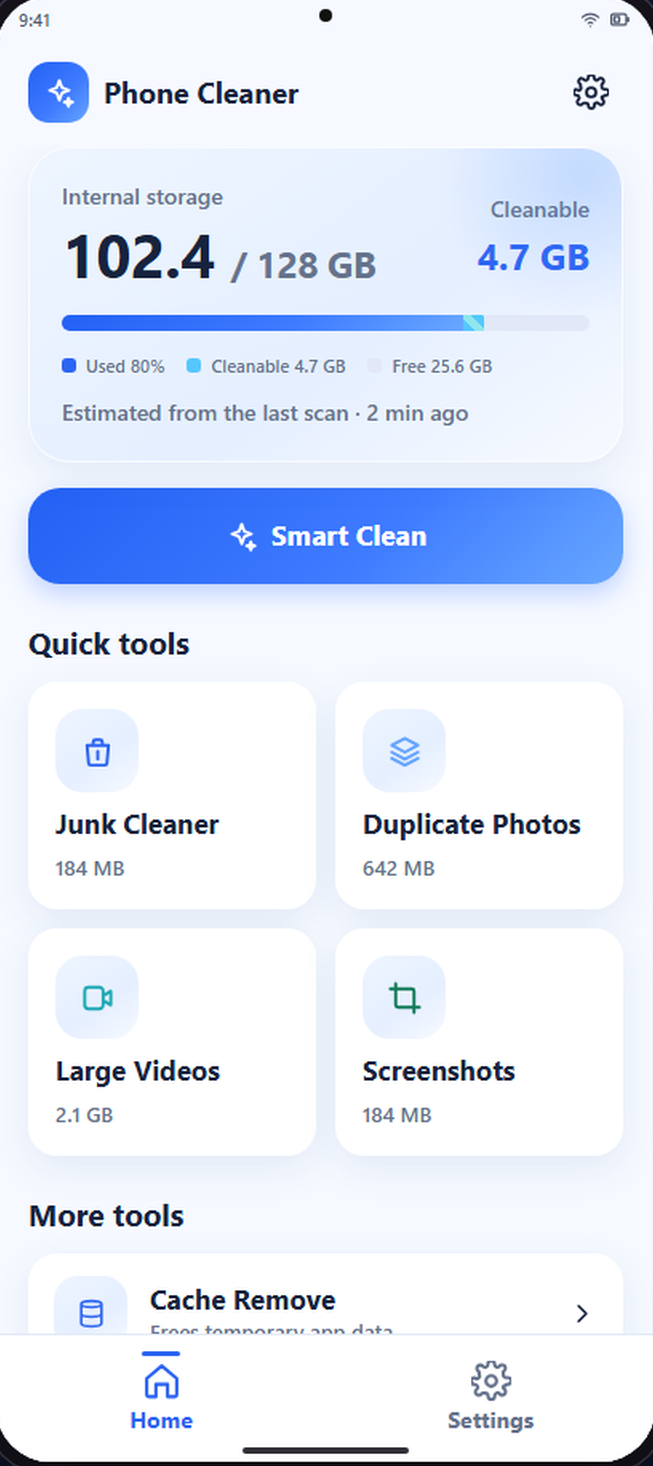
Each tool measures its own category on the device and reports what it actually found, not a category average.
Residual files, cached thumbnails, temporary downloads and empty folders. This is the one category that arrives ticked, because it is the only one where the safe answer is not a judgement call.
Exact copies and visually similar shots, grouped. One photo in every group is always kept.
Sorted by real size so the ten items worth reviewing come first, not the ten thousand that are not.
A timeline of everything the screen capture button left behind, oldest first.
Only the cache Android is willing to release. Where the system reserves that job for itself, the app says so and hands you the system screen.
Memory, battery, network usage, a notification shade cleaner and a speaker tone generator. Read only, no promises of magic speed.
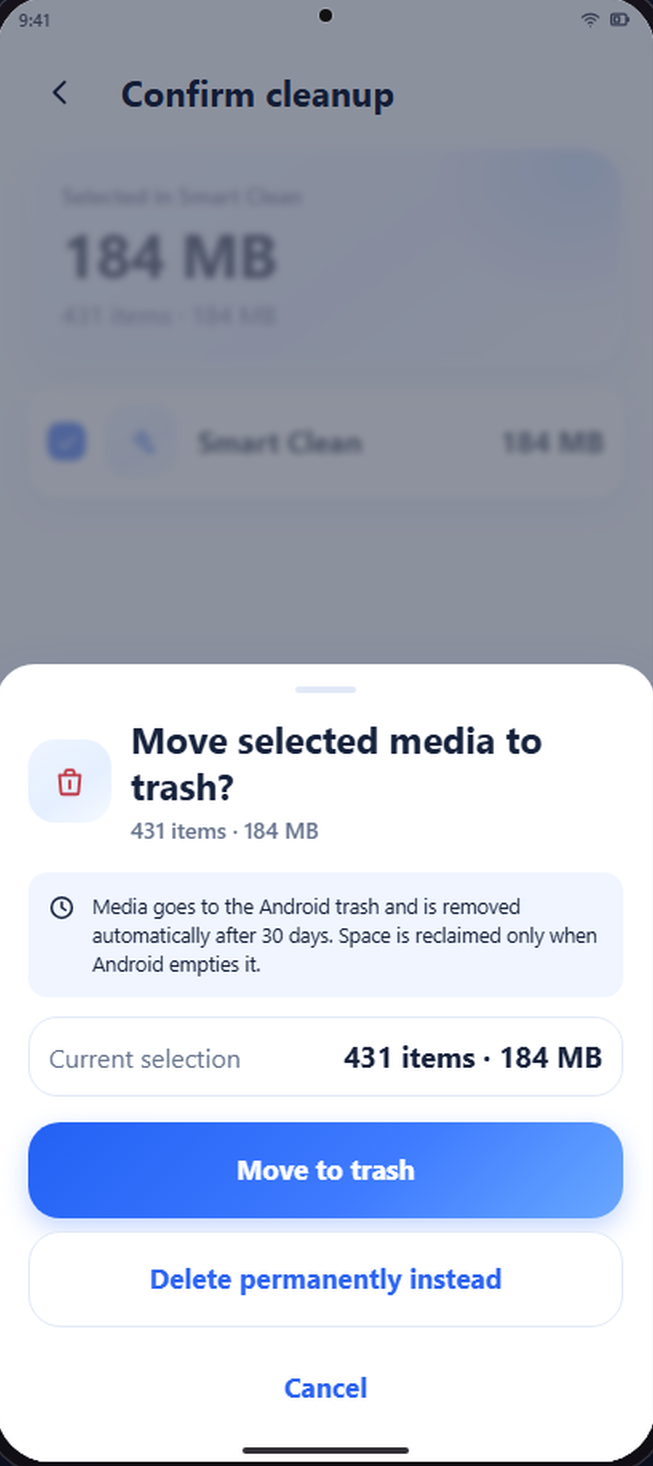
Three moves, in that order, every time. The third one is a wall you have to walk through on purpose.
The app reads sizes from Android and reports what it measured. A figure the system will not return is labelled unavailable, never rounded down to zero.
Photos, videos and apps arrive unselected. You open a group, look at the actual files and tick what you want gone.
The confirmation states the exact count and size. On Android 11 and newer, media goes to the system trash first, and deleting for good is a separate, clearly marked choice.
Your photos, videos and installed apps are never ticked on your behalf. The only exception is the junk category, where every item is unambiguously safe to remove.
Android does not expose every number on every device. When a size, a last used date or a traffic figure is not returned, the screen says so instead of inventing a value.
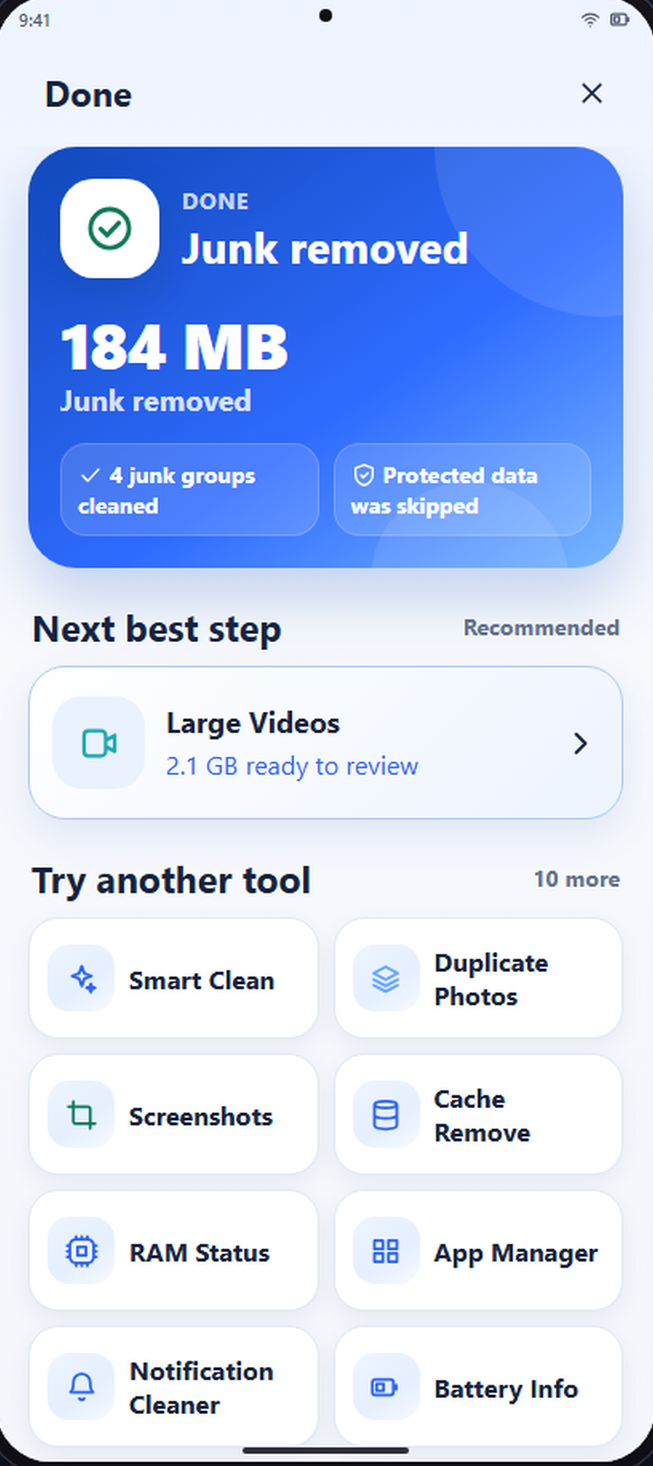
After an operation the app reads the device again and reports what it can confirm. Skipped, cancelled and failed items are counted separately from freed space.
Scanning, grouping and fingerprinting all happen on the phone. Here is the full division, with no asterisk hiding underneath it.
There is no subscription, no in-app purchase and no locked tool. Advertising pays for the app, so a full screen ad appears between a finished operation and its result, and one compact ad sits on the result screen. No ad is ever placed inside a selection list or a confirmation, because an ad must never be mistaken for the button that deletes something.
In the European Economic Area, the United Kingdom and Switzerland the app asks for advertising consent on first launch through Google's consent form, and you can change your answer at any time in Settings. Details are in the Privacy Policy.
No. Every destructive operation goes through a confirmation that states the exact count and size first, and app uninstalls additionally go through Android's own system dialog, which only you can accept.
On Android 11 and newer they move to the Android trash, where the system keeps them for about 30 days, so the space is not released immediately and the app says so rather than claiming it back. Deleting permanently is a separate choice you have to make on purpose. On Android 8 to 10 there is no system trash, so deletion is final and the app warns you before it starts.
Access to photos and videos when you open a media tool, usage access when you open the app or network tools, notification access only when you open the notification cleaner, and Android's uninstall permission when you confirm a removal queue. Each request appears when you open the feature that needs it, never on the launch screen. The app does not ask for all files access, does not request the full list of installed packages, and does not use an accessibility service.
It will free storage, show you what memory and battery are doing, and let you uninstall what you no longer use. It will not force Android to run faster, because no app can, and the ones that claim otherwise are showing you an animation.
Yes. On Android 14 and newer you can share a selected set, and the app works with exactly that set. It tells you the result is partial rather than presenting it as a complete picture of your library.
No. There is no sign up, no login and no cloud storage. The app has nothing to attach to an identity.
Android 8.0 and later. No account, no subscription, no tool held back for a paid tier.